
Unlock the Future of Tree Thinning Assessment
TreeTools VirtualPlot
VirtualPlot allows foresters to assess forest stocking in real time, improving decision making during and after thinning operations.
Using your DJI drone, you can create virtual plots within your stands to get immediate stocking metrics. VirtualPlot is easy to use and works outside of cell network coverage.
Scroll down to learn more…
Key Features
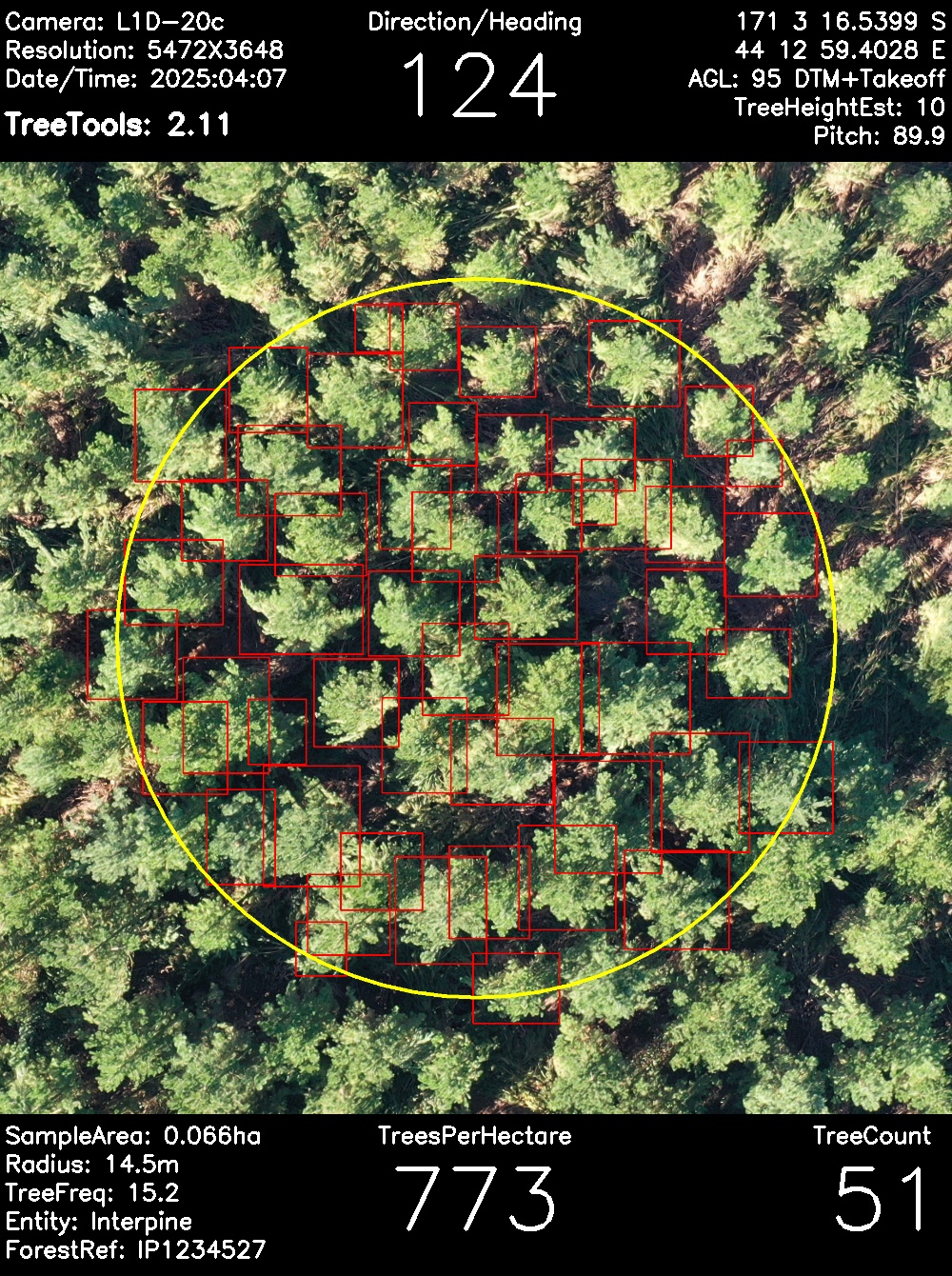
Real-Time Data Analysis
Capture your own data and process virtual plots on-site to obtain immediate results in the forest. Use these results for quality control and to provide immediate feedback to contractors.
Intuitive User Interface
Navigate VirtualPlot effortlessly with a user-friendly interface designed for efficiency and ease of use in the field.
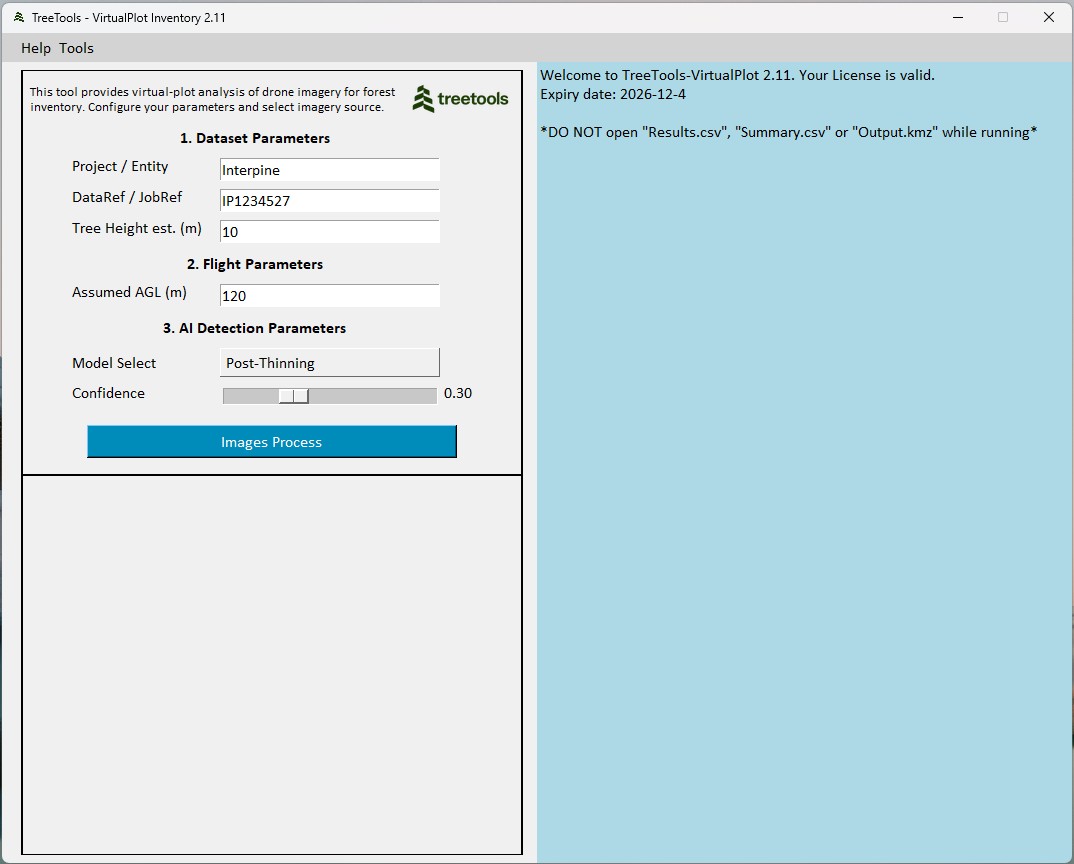
Getting Started with Our Software
Step-by-Step Guide
1
Download and Install
Begin by registering for VirtualPlot. A download link and license key will be sent to your email. There is no install process, and you can run the application directly after download.
2
Capture Images
Fly your drone over your own forest or operations, capturing images from above. See tips on flight parameters in the get started tutorial.
3
Analyse and Summarise
Select the images you want to process. VirtualPlot will create a set of forest inventory plots and summaries. You can do this in the field, generating immediate results and operational insights.
Frequently Asked Questions
How do I install TreeTools VirtualPlot on my computer?
Register and download from the provided link. Depending on your browser may need to unblock or permit the download. Once downloaded just double click to open the app. No install needed. It can be run directly from the application file provided.
What are the system requirements for TreeTools VirtualPlot?
A minimum of 4GB RAM, 2GHz processor. A hardware GPU is not required. It is compatible with Microsoft Windows operating systems only.
Can I use it offline, in the forest?
Yes, no internet connection is required to use the AI detection tools. Just fly your drone, download to your laptop in the field and get results.
What is the expected precision of the results?
You can expect to calculate stocking estimates within 1-3% accuracy when using a DTM for analysis and 10% when analyzing without a DTM. Using the manual refine tool will further improve accuracy if required.
Which AI model should I use?
The Ai models have been developed in collaboration with industry partners, research groups and clients, for specific forest types. Models can only be as effective as the data they are trained on, and therefore you may need to experiment on which fits your own data best. More info.
The AI tree detection model has missed or added incorrect detections?
Use the inbuilt REFINE tool to add or remove incorrect model detections. If you would like to contribute to improvements in AI models, submit your project to us for analysis. More info.
Can I use Virtual Plot without a suitable AI Tree Detection Model?
Yes. Don’t yet have an AI model trained for your tree species? No problem. Simply choose not to apply any existing AI models, and Virtual Plot will still calibrate your imagery and generate virtual plots ready for your own manual labelling using the REFINE tool. More info.
How do we get a new AI tree detection model added to Virtual Plot?
We can work with you to add new AI models to VirtualPlot for your specific use case. Submit your projects after you have used the refine tool to manually apply tree detection labels. More info.
How do I get the best results from my drone?
Have a read of our tips and tricks for flying your own drone. This includes apps to use and how to best enable terrain awareness flights. More info.