
AI detection for your aerial imagery
TreeTools Scout
Turn aerial imagery into detections, maps and GIS outputs with TreeTools Scout. Upload an orthophoto or drone photos, choose a model, and process your survey online.
Review trees and other detected objects, explore optional analyses, and train a detector for your own imagery. Refine completed results as your assessment develops.
Scroll down to learn more…
Key Features
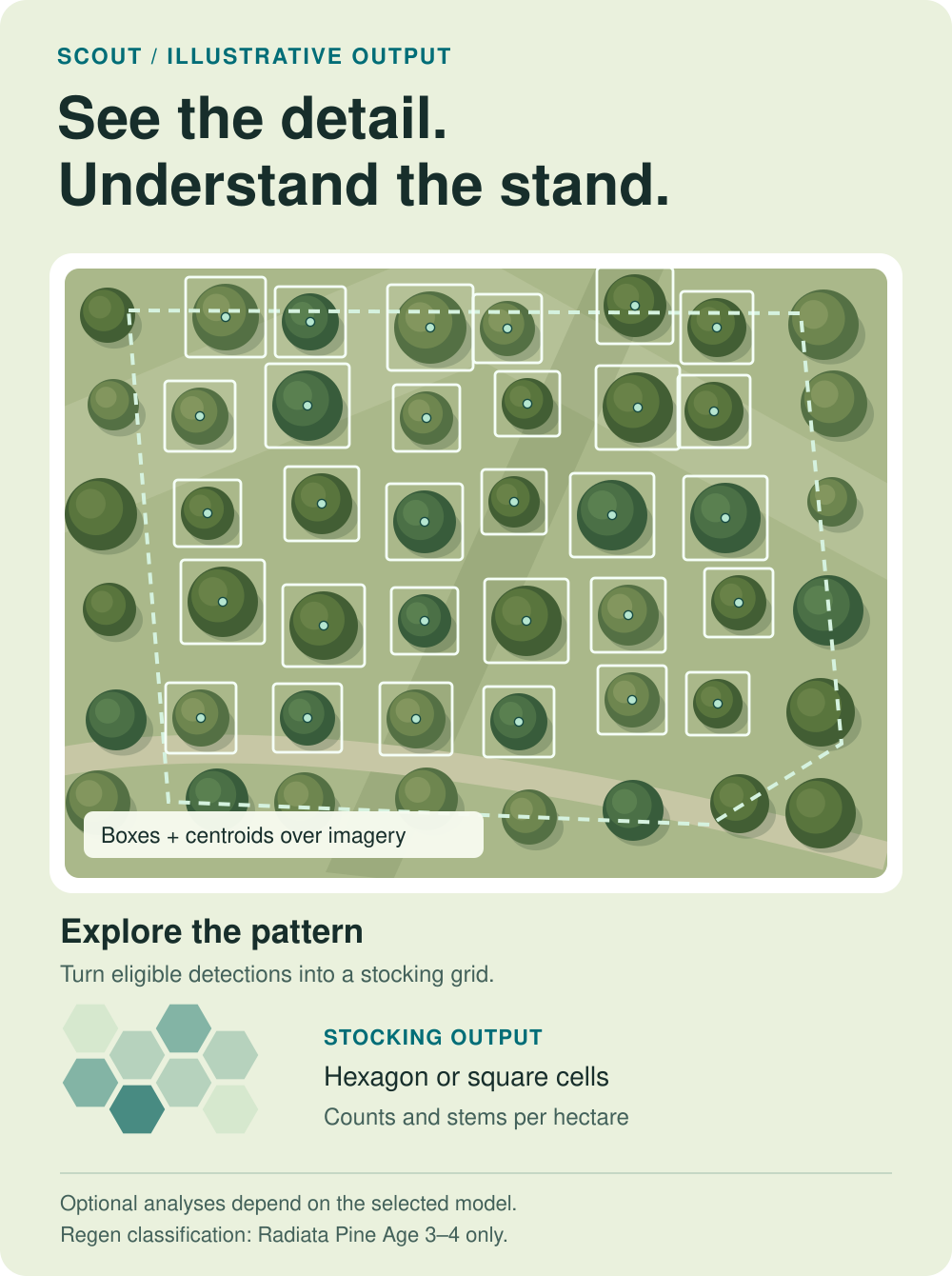
Detect, analyse and export
Use built-in models for young radiata pine, post-thinning and chemical-thinning assessments, spot spraying, nursery trees and cutover.
Add the analysis your project needs: regeneration classification with Age 3–4, stocking grids with eligible tree detectors, or estimated wood debris dimensions and volume with Cutover.
Inspect detections over your orthophoto, then download the GIS outputs for further analysis and reporting.
Train and refine your results
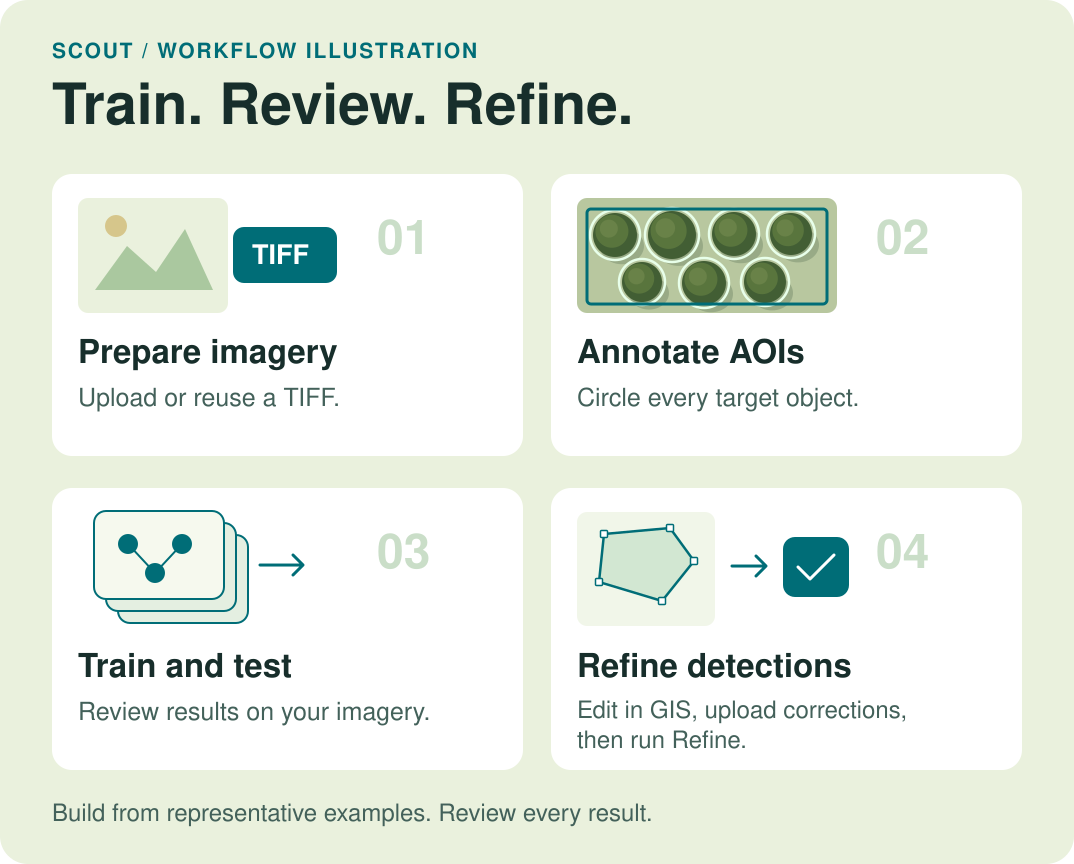
Build a custom detector from representative examples. Upload a training TIFF or reuse an existing Scout orthophoto, define sample areas and annotate the objects you want to detect.
Use Refine to update boundaries and supported analyses from completed detections. You can also correct polygons in GIS, upload them, and regenerate the results.
Getting Started with Scout
Step-by-Step Guide
1
Sign in and prepare
Register or sign in to your TreeTools account, then open Scout. Prepare your survey imagery and assessment boundary, and add credits for chargeable processing.
2
Upload and process
Choose an orthophoto TIFF or folders of JPG/JPEG drone photos. Select the model and optional analyses, then submit the project. Scout queues processing after the upload is verified.
3
Review and download
Inspect the completed results in the map viewer. Download the orthophoto, shapefiles and summaries, then compare models or refine the result where needed. Save your files before they expire.
Frequently Asked Questions
Do I need to install software?
Scout runs in your browser using your TreeTools account. Use a current browser and a stable internet connection for uploads and processing. More info.
What imagery can I upload?
Use one georeferenced TIFF up to 20 GiB, or JPG/JPEG folders totalling no more than 20,000 images and 20 GiB. Add a boundary to focus the assessment. More info.
Which AI models are available?
Built-in models cover Radiata Pine Age 1–2 V3, Age 3–4 V3, Post Thinning V8, Chemical Thinning V1 and Nursery V1, plus Spot Spray V2 and Cutover V2. Your trained detectors can also be selected. More info.
Can Scout produce stocking and Regen outputs?
Eligible tree detectors can create hexagon or square stocking grids. Regen classification requires Radiata Pine Age 3–4 V3 and your planted stems/ha. Nursery and Cutover do not support Stocking output. More info.
What does Cutover provide?
Cutover produces segmented polygons. Optional Wood debris analysis estimates each measurable piece’s length, diameter and volume. Review measurement status: missing values do not mean zero. More info.
Can I correct or rerun results?
Yes. Correct detections in GIS, upload the complete matching polygon shapefile set, then run Refine. Keep the completed model selected for refinement; select another model for new inference. Review results against the imagery. More info.
Can I train my own detector?
Yes. Upload a training TIFF or reuse an available inference orthophoto, draw representative AOIs, annotate the target objects and train. Test the detector on your imagery before using it for wider assessments. More info.
How do Scout credits work?
One-time packs add credits. Standard inference uses 1 credit/ha; Nursery uses 900 credits/ha. Model changes and refinement within a project’s paid maximum area add no area charge. Additional area is chargeable. More info.
What can I download, and how long is it kept?
Download the retained orthophoto and an output ZIP with shapefiles and summaries. Inference files expire 14 days after the latest successful inference. Detector projects remain until deleted. Keep your own copies. More info.